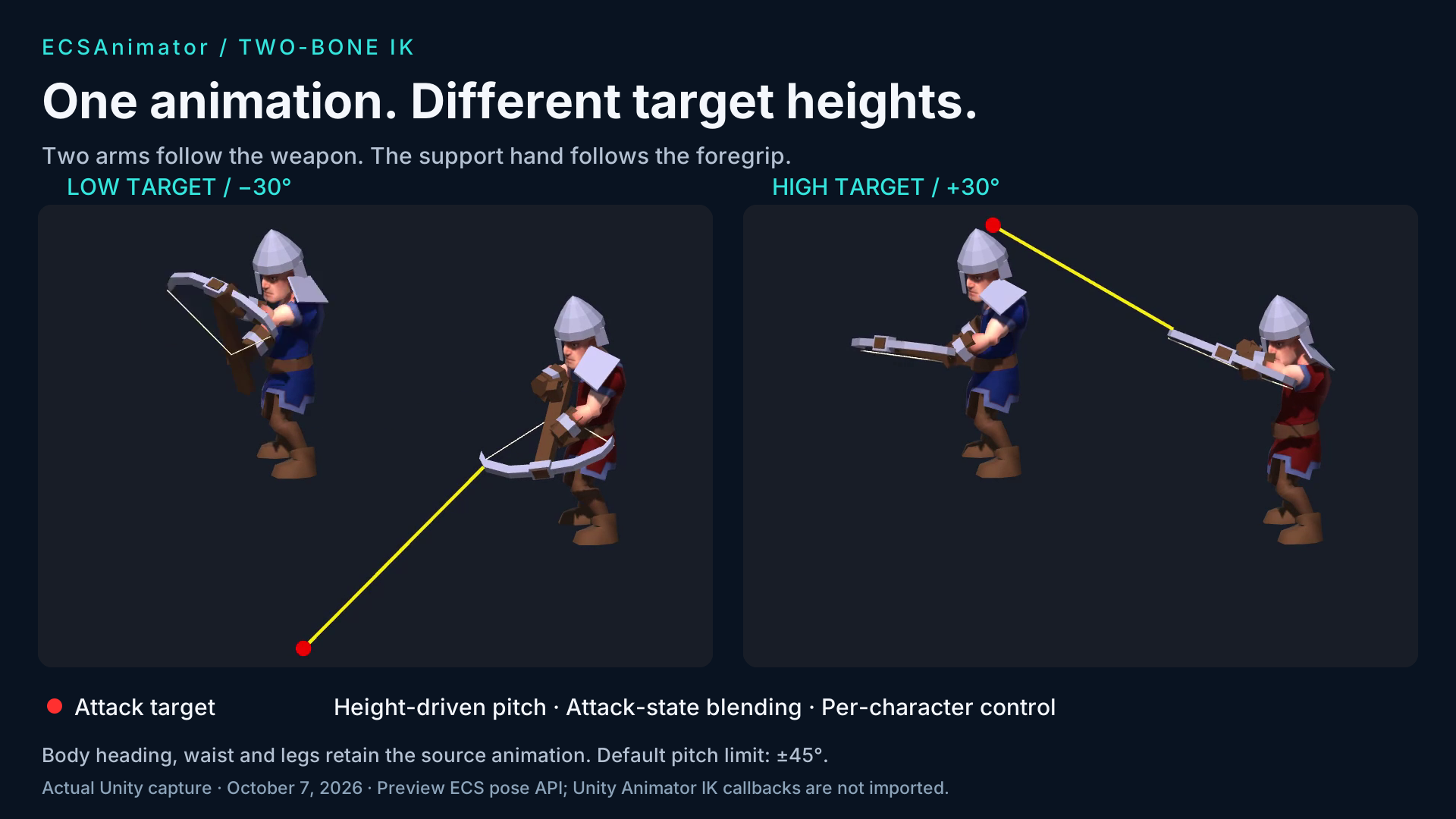
Actual Unity captures with explanatory layout. Red dot: attack target. Red character: IK enabled. Blue character: original animation.
20 SECONDS / IN UNITY
Level. Low. High. Then switch IK off.
The final two stages show the angle limit and the return to the source animation.
Recorded in Unity 2022.3.1f1 / Direct3D 11, October 7, 2026. The camera, red target color, target sequence and slow Attack Speed are presentation settings; animation and IK run through the supplied Demo14.
Silent video with English captions. Fixed 30 FPS capture is not a performance measurement. The target in the included sample is yellow.
Animator states, transitions and layers supply the source skeletal pose.
02 / ADJUST
Feed a target height.
The sample solves the weapon hand, then the support hand. Correction fades with Attack and the chosen IK strength.
03 / PRESENT
Share the corrected pose.
GPU skinning and sockets consume the result. The visible muzzle ray is read from the committed attachment pose.
Two analytic arm chains
Foregrip following
Default ±45° pitch limit
Per-character opt-in
Static Burst callback
Animation LOD aware
INTEGRATION AND LIMITS
An explicit ECS pose API.
Enable Require Pose Processing when converting your character, check prepared.SupportsPoseProcessing, and supply root-space targets through the preview business pose processor. Compact MatrixInline2 assets do not contain the local-pose data required for this operation.
Target height and forward distance drive vertical pitch. Body heading, waist and legs retain the original animation. Sideways target movement does not turn the character. Targets beyond the angle limit are clamped, so the weapon need not point exactly at an out-of-range target. Partial strength intentionally produces partial correction.
This does not import Unity Animator IK Pass, OnAnimatorIK, Foot IK or Animation Rigging components. Automatic terrain adaptation, whole-body IK and runtime PlayableGraphs are not supplied. Profile your own algorithms, rigs and target platforms.