Keep your Controller.
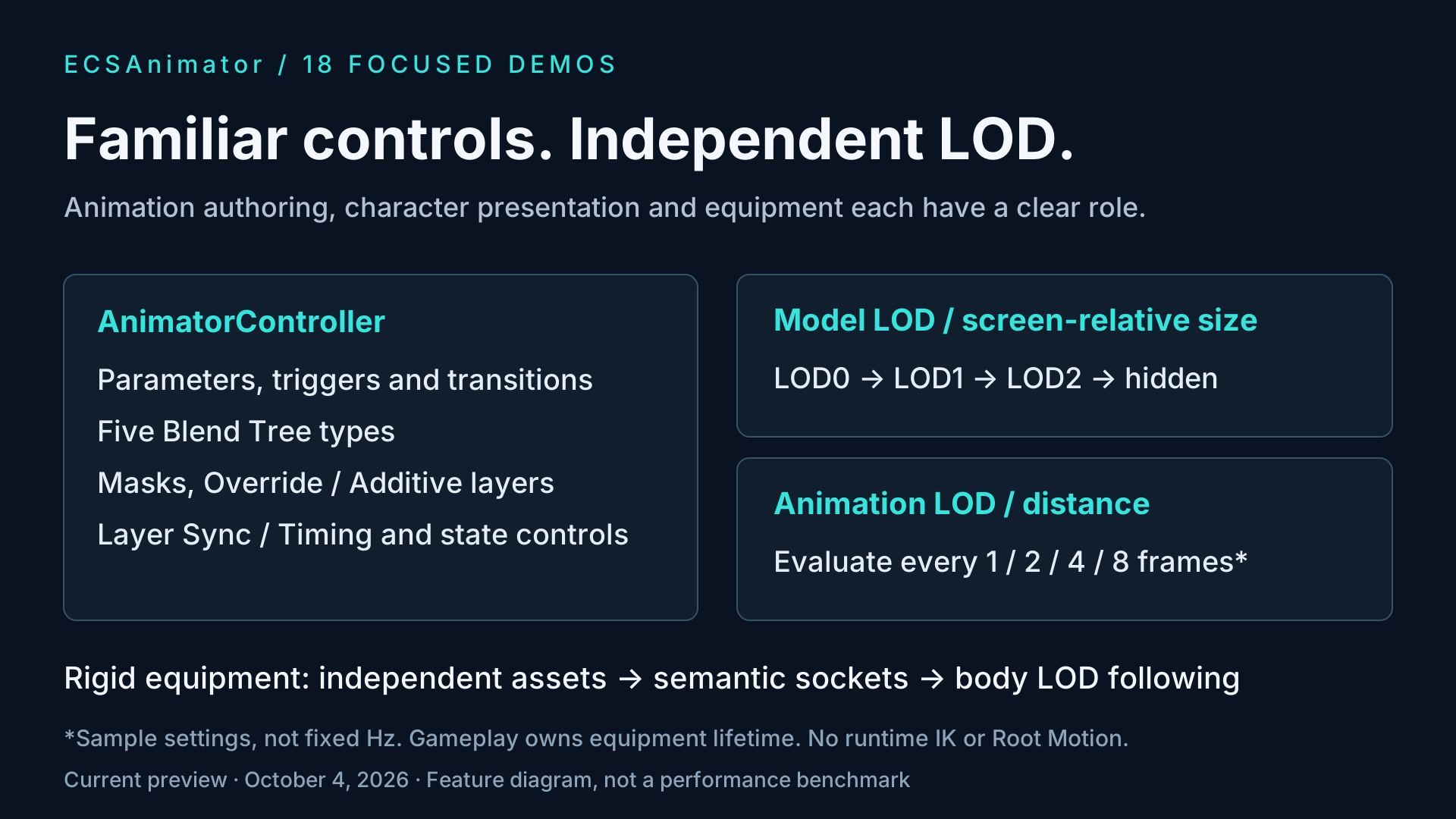
Use parameters, transitions, Blend Trees and supported layer features. Preview conversion diagnostics before building your character data.
ECSANIMATOR / SKELETAL CROWD ANIMATION
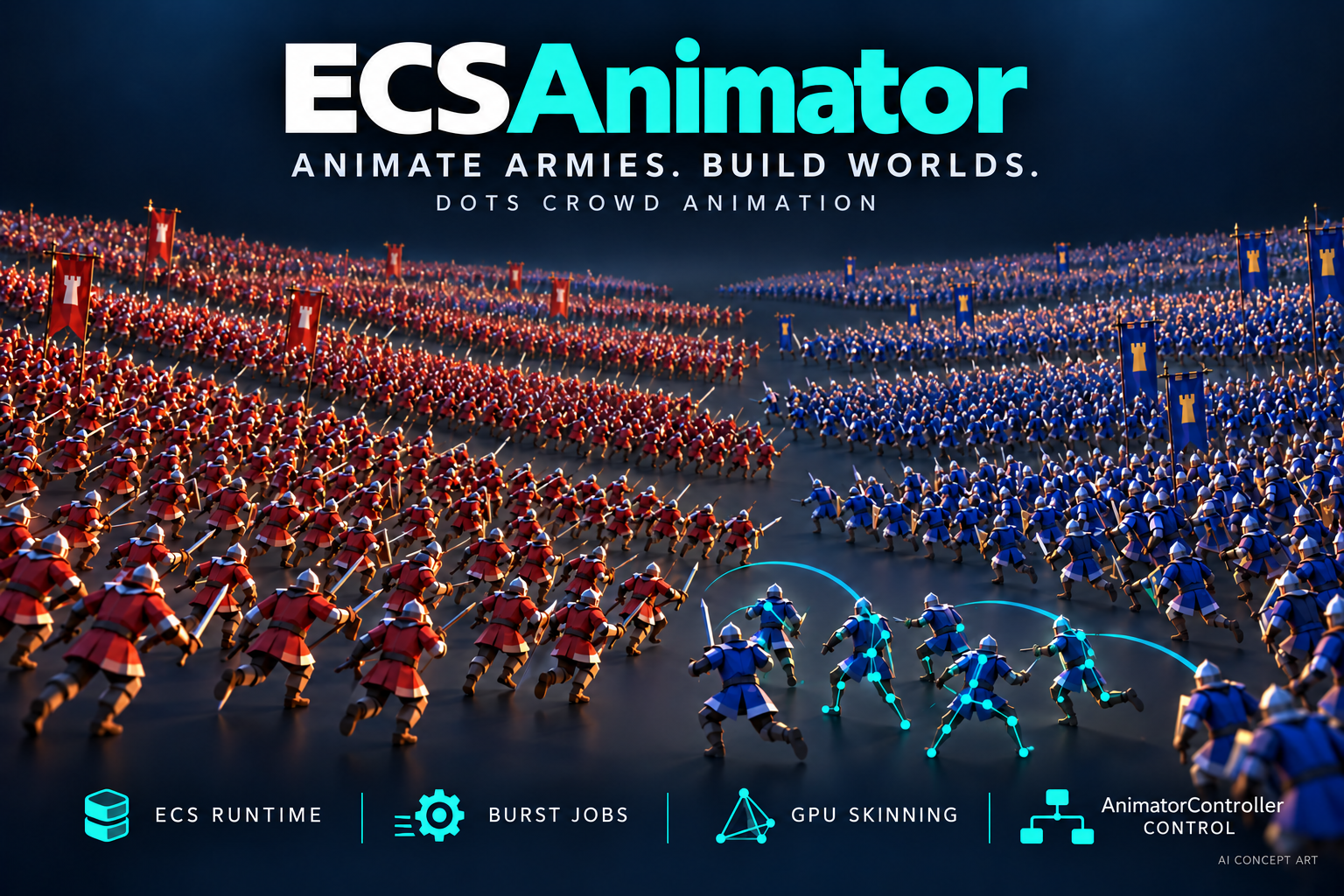
Bring your AnimatorController workflow to animated crowds. Convert characters offline, evaluate animation with Burst jobs, and render with GPU skinning through Unity Entities Graphics.
Asset Store release in preparation · Preview 0.1.0 · Updated October 4, 2026
THE WORKFLOW
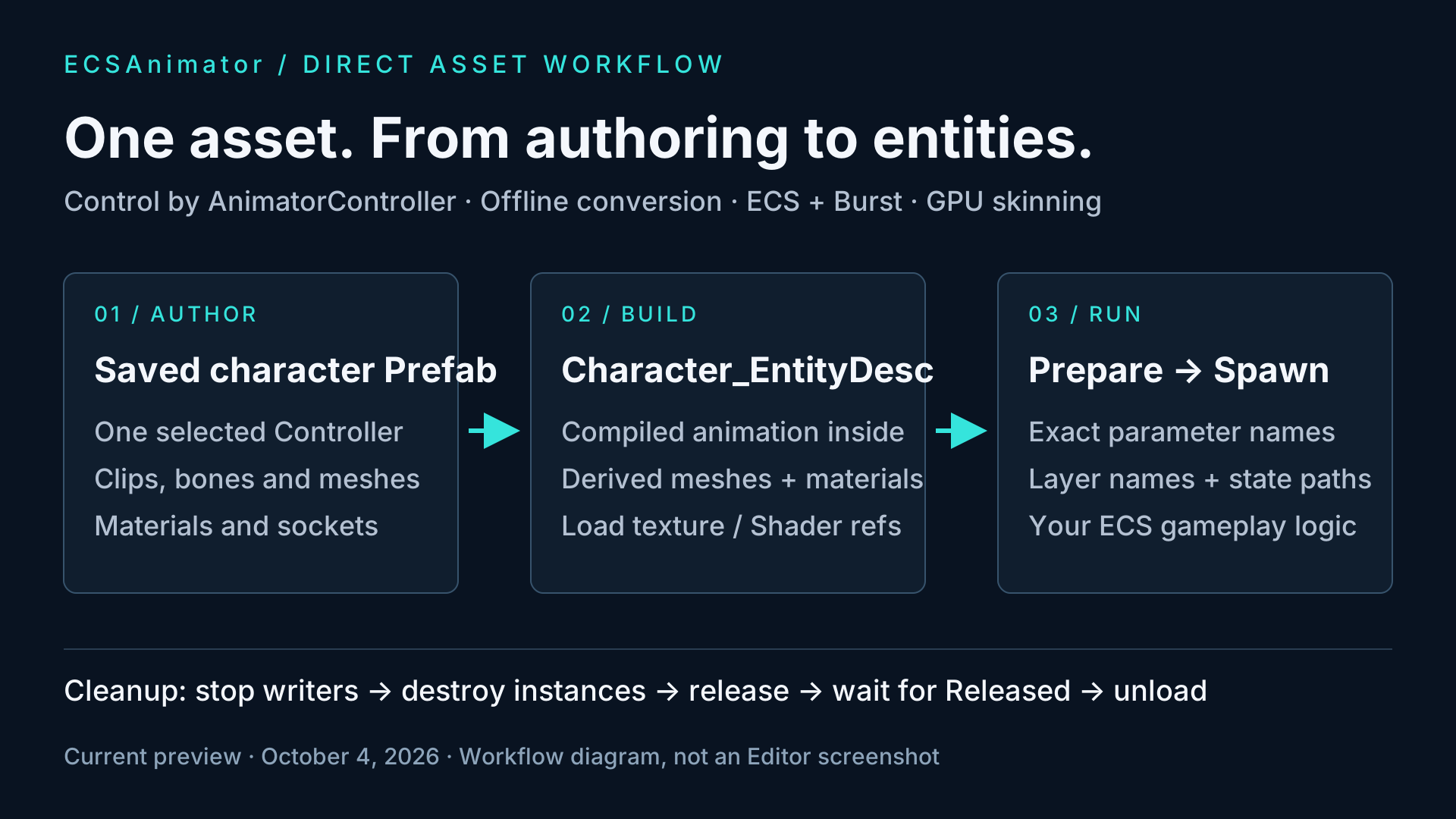
Prepare reusable character data once, then connect animation to your game's ECS logic.
Use parameters, transitions, Blend Trees and supported layer features. Preview conversion diagnostics before building your character data.
Build a single _EntityDesc.asset with compiled animation, derived meshes and materials. Load this descriptor and its dependencies directly.
Prepare once, spawn ECS characters and drive exact Controller parameter names, layer names and exported state paths. Burst jobs and GPU skinning handle animation.
IN UNITY
Real Unity Editor demonstrations. The crowd video uses the updated October 4 sample animations; the battle video is retained from September 29.
30 SECONDS / BATTLE
A wide battle view followed by a closer look at swordsmen and crossbowmen moving, attacking and reacting. Movement and combat are example gameplay systems. Recorded September 29 in Unity 2022.3.62f1; this is an earlier gameplay demonstration.
Download battle video24 SECONDS / UPDATED CROWD
Updated four-second breathing Idle and revised sword stance, followed by Death Trigger and return to Idle. Recorded October 4 in Unity 2022.3.1f1 / Direct3D 11. The scene contains 2,500 characters; close-up views show part of the formation.
Download crowd videoSilent videos with English on-screen captions. Recorded at 1920 × 1080 with a fixed 30 FPS capture timestep. Recording frame rate and promotional artwork are not performance benchmarks or capacity guarantees.
QUICK START
These instructions describe the current preview package. Begin with the supplied character before converting your own.
In Window > Package Manager, use + > Add package from disk and select the supplied package.json. For a supplied .tgz, use Add package from tarball. Allow Unity to resolve dependencies.
Select ECSAnimator in Package Manager, open Samples and import Quick Start. The sample includes a character and prebuilt animation data.
Use URP with the SRP Batcher enabled and BatchRendererGroup variants retained. Add a Light and one active Game Camera tagged MainCamera, using the first display and no Target Texture or stereo/XR.
Open Tools > ECSAnimator > Settings. Create the global settings resource before entering Play mode. Keep motion vectors enabled when your camera effects require them.
Drag NewcomerQuickStart.prefab into the scene and press Play. With Legacy Input Manager or Both enabled, use WASD to move, 1/2/3 for Attack/Hit/Death, and Delete to destroy the character. Input System-only projects can still spawn and play Idle.
Start with a saved Prefab, a simple Idle/Run Controller with a float Speed parameter, and an ECSAnimator/Lit material. Open Tools > ECSAnimator > Convert Character, review diagnostics, then Build. Assign the generated _EntityDesc.asset to SimpleCharacterExample and use the exact Float parameter name Speed.
Updating an existing project? Load CharacterRuntimeAsset directly and retain its CharacterPreparedAsset handle. Older character Template and external Payload loading APIs have been removed. Rebuild older external-data outputs from source, and preserve local edits before refreshing imported samples. Read the migration notes.
Read the complete English user manual for conversion, animation control, equipment, LOD, custom Shaders and the API reference. The same documentation is included in the package's Documentation~ folder. Follow the sample instructions for setup and cleanup.
BEFORE YOU INTEGRATE
ECSAnimator converts supported skeletal animation. Root Motion, runtime IK / Foot IK and StateMachineBehaviour callbacks are omitted with diagnostics. BlendShapes and non-skeletal animation curves are outside the supported scope. Your gameplay systems own movement and behavior.
Start with Unity 2022.3, URP 14 and Windows Direct3D 11, the environment used for the demonstrations. Built-in and HDRP paths are not supplied. Do not infer mobile, Unity 6, WebGL or XR qualification from these recordings. Other target devices require their own validation.
For first use, create a material with Assets > Create > ECSAnimator > Lit Material. Ordinary URP/Lit materials are not automatically converted. External HLSL and Shader Graph integration are preview workflows that need separate integration and target testing; they are not a promise of arbitrary shader compatibility.
The product handles character animation and rendering integration. AI, navigation, collision, combat rules and locomotion remain game-owned. The battle video shows an integration example, not a complete RTS framework.
The Idle and Trigger demo scene contains 2,500 characters. Close-up camera views show only part of the formation. Performance depends on hardware, meshes, materials, animation complexity, LOD and your game systems. These demonstrations do not guarantee a frame rate or maximum character count.
The Asset Store release is being prepared. For availability or technical questions, contact d3luning@gmail.com. For a bug report, include the package and Unity versions, render pipeline, platform / graphics API, reproduction steps and relevant errors. Remove secrets and unrelated personal information from logs.
MASTERNIN / INDEPENDENT UNITY DEVELOPMENT
MasterNin develops ECSAnimator for Unity developers working with skeletal characters and crowds. This is the home for product information, demonstrations and integration help.
Send an integration question or a reproducible bug report.
Email supportd3luning@gmail.com